Recover Deleted WhatsApp Messages WhatsApp is one of the most popular messaging platforms in the world, trusted by billions for its speed, reliability, and encryption. However, accidental deletion of messages can be frustrating—especially if those messages held important information. The good news? There are ways to recover deleted WhatsApp messages and view chat history, depending on your settings and device.
In this guide, we’ll explore practical methods to retrieve lost chats on both Android and iOS, including tips for prevention and backup management.
🔄 Understanding How WhatsApp Stores Your Messages
Before diving into recovery, it helps to know how WhatsApp handles your data:
- Messages are stored locally on your phone.
- You can also enable cloud backups—Google Drive for Android and iCloud for iPhone.
- WhatsApp does not store your messages on its servers, so recovery is only possible if a backup exists or data hasn’t been overwritten.
📲 How to Recover Deleted WhatsApp Messages on Android
✅ 1. Recover from Google Drive Backup
This is the most common and safest method.
Steps:
- Uninstall WhatsApp from your phone.
- Reinstall WhatsApp from the Play Store.
- Open the app and verify your phone number.
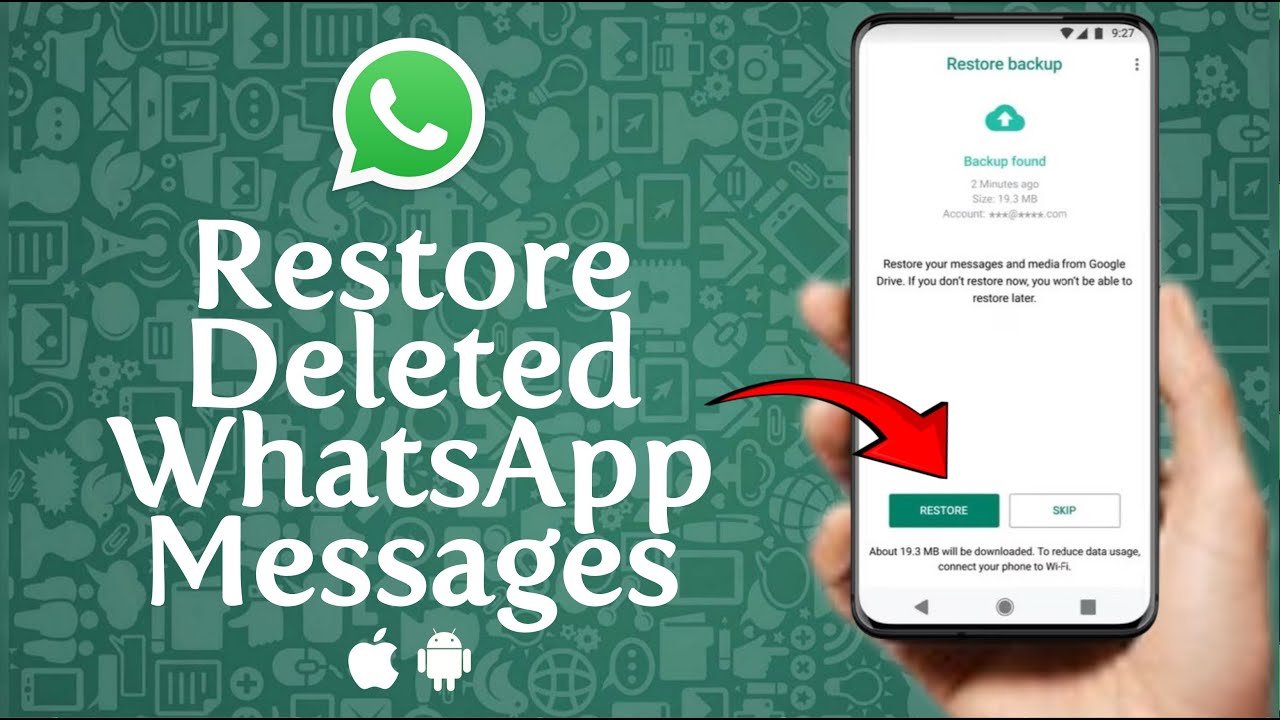
- WhatsApp will prompt you to restore your chat history from Google Drive.
- Tap Restore and wait for the process to complete.
Note: This only works if you had enabled Google Drive backup before deleting the message.
✅ 2. Recover from Local Backup (Without Google Drive)
WhatsApp keeps a backup on your phone’s internal storage.
Steps:
- Open File Manager on your Android.
- Navigate to:
Internal Storage > WhatsApp > Databases - You’ll see files named like
msgstore-YYYY-MM-DD.1.db.crypt14. - Rename the file from the date you want to recover to
msgstore.db.crypt14. - Uninstall and reinstall WhatsApp.
- When prompted, choose Restore from local backup.
⚠️ This method can restore older chats but may overwrite newer messages.
📱 How to Recover Deleted WhatsApp Messages on iPhone
✅ 1. Recover from iCloud Backup
WhatsApp backs up your data to iCloud daily, weekly, or monthly depending on your settings.
Steps:
- Delete WhatsApp from your iPhone.
- Reinstall it from the App Store.
- Open WhatsApp and verify your phone number.
- Tap Restore Chat History from iCloud when prompted.
You must be using the same Apple ID and iCloud account used during the backup.
🔍 Can You Recover WhatsApp Messages Without a Backup?
Without a backup, recovering deleted WhatsApp messages becomes significantly harder but not impossible.
❗Option: Use Third-Party Recovery Tools
There are several tools that claim to recover deleted WhatsApp messages by scanning your device’s memory. Examples include:
- Dr.Fone – Data Recovery
- iMobie PhoneRescue
- Tenorshare UltData
⚠️ Caution: These tools can be risky, potentially violate privacy, or may not work. Always research thoroughly and use trusted software.
💡 Tips to Prevent Losing WhatsApp Messages Again
📁 1. Enable Auto Backup
- Android:
WhatsApp > Settings > Chats > Chat Backup > Back up to Google Drive - iPhone:
WhatsApp > Settings > Chats > Chat Backup > Back Up Now
(Set to daily or weekly)
🔒 2. Manually Export Important Chats
For important chats, use the Export Chat feature:
- Open the chat > Tap three dots (Android) or contact name (iPhone) > Tap Export Chat.
- Save it as a text file with or without media.
⏱️ 3. Act Quickly
If you accidentally delete a message, try to restore it before a new backup overwrites the old one.
🧠 Key Differences Between Backup Methods
| Feature | Google Drive (Android) | Local Backup (Android) | iCloud (iPhone) |
|---|---|---|---|
| Cloud Storage | Yes | No | Yes |
| Manual Control | Limited | Yes | Limited |
| Backup Frequency | Daily/Weekly/Manual | Daily | Daily/Weekly |
| Restore Flexibility | Limited to latest | Choose specific date | Limited to latest |
❓Frequently Asked Questions (FAQs)
Q1: How far back can I recover WhatsApp messages?
It depends on your backup settings. If using local backups, Android stores up to 7 days of data. Cloud backups usually keep the most recent version.
Q2: Can I recover messages deleted after the last backup?
No. If messages were deleted after the last backup, they won’t be recoverable through normal methods.
Q3: Will I lose new messages if I restore a backup?
Yes. Any messages received after the backup date will be lost unless manually saved or exported.
Q4: Are deleted messages saved anywhere else?
No. WhatsApp doesn’t keep messages on its servers. If not backed up, they’re gone permanently.
Q5: Can I recover messages from someone else’s phone?
Only if you have access to their phone and backups—and only with their permission. Otherwise, this would be illegal.
📝 Final Thoughts
Recovering deleted WhatsApp messages can be easy if you’ve set up regular backups. Whether you’re using Android or iPhone, built-in features can help restore lost data quickly. If you haven’t backed up your data yet, now’s the perfect time to do it—because you never know when you might need to look back into your chat history.
Always remember: Prevention is better than recovery. Turn on automatic backups, save important chats, and stay secure!